


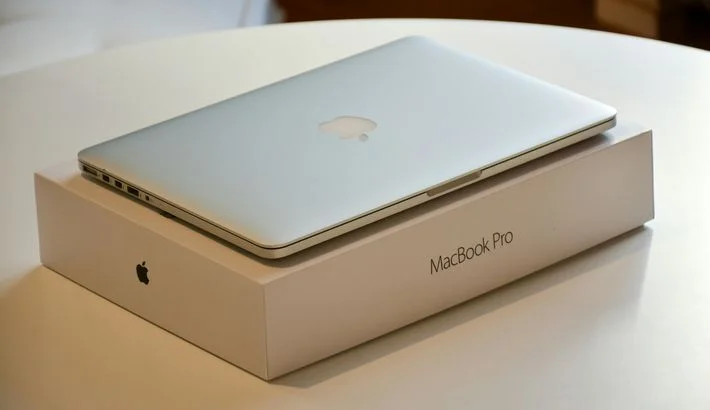
How to Ship a PC


 To share
People often send items to family, friends, and even themselves. Typically, these include orders, personal items, and gifts. But what about personal computers? In this case, proper packaging is required, as well as careful preparation of the device itself.
It's important to preserve the integrity of the outer casing and internal components, such as the CPU, GPU, RAM, and HDD/SSD, during transportation. Every system component plays a vital role. Even minor damage can lead to serious performance issues.
Don't know how to ship a PC? There is a high risk of damage due to impacts, vibrations, and improperly secured parts in this case. This is particularly true for custom and gaming computers, as they contain expensive parts that require special care. Furthermore, improper packaging can cause internal components to shift, thereby negatively impacting the system's performance.
Shippers often struggle with choosing the right packaging, securing items, and filling out documents properly. In international shipping, these details are critical, as even small mistakes can lead to delays or additional checks.
You must understand that a system unit is fragile cargo. It requires careful handling, not just physical protection. Considering all the nuances of transportation and customs clearance is crucial. Ensure the safe and successful delivery of your PC anywhere in the world by preparing and packaging it properly.
Preparing Your PC Before Shipping
So, how to safely ship a PC? If you need to ship a PC, don’t just throw the tower in a box. Take the time to pack everything carefully so it stays safe during the move — this is super important for custom or gaming PCs with pricey parts inside.
Start by unplugging all external devices like keyboards, mice, and monitors. Then, carefully take out heavy or fragile parts, such as the graphics card and CPU cooler. Put each part in an anti-static bag to avoid static damage, and wrap it in a few layers of bubble wrap for extra protection.
The system unit itself should be placed in the original box, if you still have it. Use foam inserts or expanding foam. This will help keep the device securely in place and prevent it from shifting during transit.
If you don't have the original box, use the double-boxing method. The system unit is first placed in a smaller box with cushioning materials. Then, it is placed in a larger, sturdy box for additional protection.
For convenience and reliability, you can use the following step-by-step packing checklist:
- Disconnect all external devices and cables.
- Remove and pack the GPU and cooler separately.
- Place the components in anti-static bags.
- Wrap the case in several layers of bubble wrap.
- Pack the PC in its original or double-boxed box.
- Fill any gaps with foam or polystyrene for stability.
- Apply the “Fragile” label and secure the packaging with tape.
Following this plan will significantly increase the chances of your computer arriving safe and sound. It's also important to purchase shipping insurance. This is essential for international shipments to protect against potential losses.
Best Materials for Packing a PC
Selecting high-quality, appropriate packaging materials is crucial to ensuring your computer's safety during transportation. This is especially true if you're wondering how to ship a PC internationally. High-quality protection is also vital for domestic shipments, but it's important to consider the different types of packaging materials and their properties.
The first and most important means of protection is antistatic bags. They are essential for packaging all sensitive internal components: graphics cards (GPUs), random-access memory (RAM), hard drives (HDDs/SSDs), and other circuit boards. These bags prevent the buildup of static electricity, which can damage electronics even with brief contact.
To protect the case and individual details, the shipper may use bubble wrap. It is an excellent shock and vibration absorber. This product provides a soft roll-up for the system unit. Wrap the case in several layers, paying particular attention to corners and protruding parts.
Another effective solution is foam inserts and expanding foam, including the popular InstaPak foam. These materials fill the voids in the box, firmly holding the case in place and preventing it from shifting during transit. If your shipment undergoes multiple stages of transportation and handling, this type of foam is essential.
For the box itself, choose strong, high-strength corrugated cardboard of the appropriate size to provide additional protection. The packaging shouldn't be too large. Space increases the risk of cargo shifting.
Don't forget good-quality packing tape. It will securely fasten all components. It's a good idea to use fragile labels. These labels instruct shipping personnel to handle the shipment carefully. Choosing the right materials and carefully packaging your computer are essential steps to keep it in perfect condition, regardless of the distance and delivery method.
How to Ship a PC Internationally: Documentation and Customs
Shipping a PC overseas requires careful handling of paperwork and compliance with customs rules. Getting everything ready right helps avoid delays and extra fees.
To speed up customs, you have to prepare important documents. The main one is the customs declaration. It lists all the parts inside your PC, such as the CPU, GPU, RAM, and storage, with their quantities and values. This helps customs figure out any taxes or fees you might owe.
You must also provide a commercial invoice along with the declaration. This shows the declared value of the PC being shipped. The accuracy of this information determines the calculation of duties and taxes. It also determines the possibility of obtaining insurance compensation.
To make things easier and ensure proper documentation, please follow the list of important steps below:
- prepare a complete set of documents in advance;
- describe the contents and technical specifications in detail;
- specify that the shipment is fragile and requires careful handling;
- apply for shipping insurance based on the declared value;
- research the regulations and duties of the destination country;
- work with an experienced carrier and customs broker.
Following these regulations will help reduce the time it takes to clear customs and the risk of unexpected expenses. When you choose a reliable partner like Meest, you'll receive professional support at every stage, from packaging to delivery.
Choosing the Best Way to Ship a PC: Freight and Cost Considerations
Everyone wants to know the best way to ship a PC, as it directly relates to the balance between cost, delivery time, and safety. If you need to complete this transaction quickly and reliably, you need to choose the right mode of transport and service.
Although air shipping is usually the fastest, it is also the most expensive. It's suitable for valuable or time-sensitive shipments, such as gaming PCs with costly components. Ground freight is a more economical option. It's well-suited for domestic shipments. However, it takes longer.
You need to consider not only the weight and dimensions of the package but also additional services such as packaging, insurance, paperwork, and customs clearance when calculating the cost. People planning this type of shipment often ask: how much does it cost to ship a PC? This figure depends on the distance, the chosen mode, and the level of service.
If you want to save money while still receiving high-quality service, the best solution is to partner with trusted companies. They offer transparent pricing and full support at every stage.
How to Safely Ship a PC: Step-by-Step Packing Guide
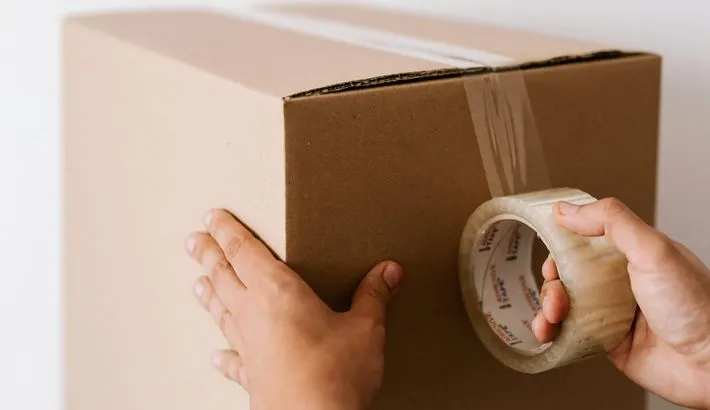
When it comes to how to ship my PC to another state, you need to know that success depends not just on good packaging but also on following the right steps in order. Getting the sequence right is just as important as packing it well. To help reduce the risk of damage to your computer during transit, please refer to the detailed step-by-step guide below.
Prepare your workspace and tools
Select a clean, spacious area in which to disassemble and pack your PC. Gather the following items: an anti-static wrist strap, screwdrivers, anti-static bags, bubble wrap, and a sturdy box. It's essential to have everything on hand to avoid rushing and making mistakes.
Remove the side panel of the case
Carefully loosen the screws and remove the system unit's side panel. This allows you to access the internal details. This ensures they stay securely fastened in the next step.
Secure moving components inside the case
Use special mounting clips or soft foam inserts. These will help secure the graphics card, hard drives, and coolers. If these are unavailable, carefully apply foam or soft packing materials to prevent them from shifting.
Pack the removed components separately
Remove and pack the graphics card, CPU cooler, RAM, and other large components in anti-static bags. Wrap them in bubble wrap and place them in a separate small box or bag filled with filler.
Wrap the system case
Wrap the system case in several layers of bubble roll-up. Be sure to pay particular attention to protecting the corners and any protruding parts. This will help absorb shock and vibration while the service is delivering the item.
Double-box the case
Put the packed PC case in a strong box with foam or padding to fill any gaps. Then put that box inside a bigger one with more cushioning around it. This double-box method really helps protect it from getting damaged.
Seal the box securely and label it
Use wide packing tape. This will help you securely seal all the seams and joints of the box. To ensure carriers handle the package with care, be sure to attach labels stating “Fragile” and including handling instructions.
Obtain insurance and prepare documents
It's especially essential to obtain shipping insurance that covers the declared value and prepare all necessary documents when shipping internationally. Be sure to have a commercial invoice and a customs declaration form, as well as any other necessary documents. This provides financial protection and expedites customs clearance.
Follow these instructions to minimize the risk of damage to your PC and ensure its safe delivery anywhere in the world. Those new to shipping complex and expensive equipment will find this step-by-step approach beneficial.
Shipping Insurance and Choosing a Reliable Carrier
If you need to ship a PC across the country or abroad, don't underestimate the importance of cargo insurance. Good shipping insurance protects you if your gear gets lost or damaged while it’s on the way. This is super important for pricey custom PCs with special parts, since fixing or replacing them can cost way more than the shipping.
Be sure to indicate the actual declared value of your computer when purchasing insurance. This will help ensure that you receive adequate compensation in the event of any unforeseen circumstances. Many carriers offer different rates and insurance terms. Therefore, it's important to carefully review their offers and choose the most cost-effective option.
Choosing a reliable carrier is essential to keep your PC safe during shipping. Experienced companies know how to pack fragile equipment properly, handle it with care, and assist with customs procedures. This is especially important for international shipments, where missing documents or errors can lead to delays and additional fees.
Partnering with a trusted company like Meest guarantees clear delivery terms, high-quality service, and support at every stage. They offer a variety of delivery options. Plus, you can calculate the cost in advance and avoid unexpected expenses.
About Meest — Your Reliable Partner in International PC Shipping
Suppose you're preparing to ship a computer and wondering how best to do it. In this case, choosing a logistics partner is just as important as the packaging materials and customs paperwork. Meest is an international shipping service with over 30 years of experience. They help individuals and businesses ship packages worldwide with safety and affordability.
Meest provides services for both domestic shipments within the US and international shipping to over 170 countries worldwide. Destinations span North and South America, Europe, Asia, Africa, and Australia, including Canada, the United Kingdom, Brazil, India, and Australia.
The company is focused on simplicity and convenience. You can complete, pay, and print all documents online through the official portal or mobile app. Meest offers 24/5 support, and our tracking system lets you monitor your shipment's status at every stage of its journey. The international shipping company offers several services that are especially useful when shipping PCs or other fragile equipment:
- international parcel delivery: standard and expedited shipping to over 170 countries;
- cargo shipping: a cost-effective option for oversized shipments;
- auto and oversized cargo shipping: professional transportation of cars and non-standard items;
- logistics and warehouse solutions: streamlined operations for online stores and businesses.
Meest also supports shippers. The company offers clear pricing and an online cost calculator. This makes planning your shipping budget easy. They have a large global logistics network that gives you options. You can drop off your package at an office or have a courier pick it up from your address.
Meest is also actively developing digital tools. The online portal and mobile app allow customers to manage shipments, track packages, print labels, and receive status update notifications.
Partnering with Meest makes the PC shipping process more predictable, secure, and convenient. You can receive professional advice on how to complete the correct documents and choose the right route. Monitor your package's progress in real time with additional tools, such as tracking.
Conclusion
Consider a few additional tips to successfully ship your computer and avoid unpleasant surprises. First and foremost, choose a shipping method that suits the type and value of your equipment, from ground freight to air freight.
Don't skimp on high-quality packaging and insurance. This is because they are the primary guarantees of safety. When shipping internationally, clarify all the details with customs authorities in advance to avoid unnecessary duties and taxes.
If you often ship PCs or other items, choose a company that provides packaging, delivery, and tracking in one service. This approach significantly simplifies the process. It also increases the security of your shipment.
If you follow these tips, you can ship your computer with confidence and know it will arrive safely and on time. It's great to have everything under control and know you're not facing any surprises.
To share
Our news


Meest and Self Reliance Financial Federal Credit Union (SRFFCU) Announce New Partnership
Together, we are creating more opportunities for the Ukrainian community in the United States

Important Customs Requirements Update for Shipments to Armenia
We recommend reviewing these requirements before creating your shipment to help avoid possible delays.

What Is a Bill of Lading, and Why Do You Need It?
A bill of lading is one of the central shipping records used in cargo transportation.

What Is a Packing List for Shipping and How to Prepare One?
A clear packing list makes it easier for all parties involved to understand what they are transporting.

What Is Freight Forwarding, and How Does It Work?
The exact setup depends on many factors we’ll cover.
Fulfillment Center vs. Warehouse: What’s the Difference?
The right choice depends on several factors we will discuss in more detail.

How Much Does It Cost to Ship a Car Overseas From the USA?
This process is rarely priced with one flat fee.



 Domestic